

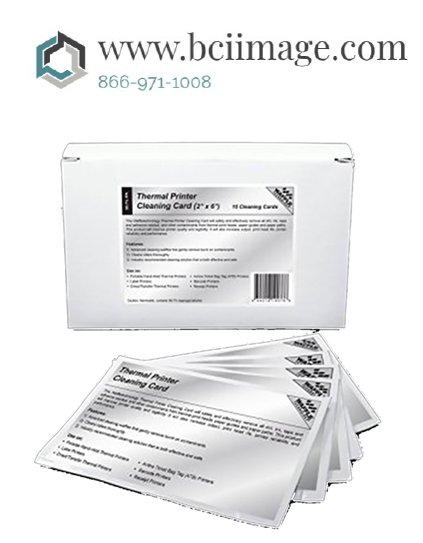
Description
Cleaning Card, Thermal Printhead, 25 per box P66530B
92 CHAPTER 8
Maintenance
Chapter 8:
Maintenance
WARNING: Removing any external covers can expose hazardous moving parts.
Keep fingers and other body parts away.
WARNING: To avoid electric shock, perform all maintenance procedures with the
GERBER EDGE FX turned off and unplugged from the power source.
WARNING: Double pole neutral fusing.
Terminal for connection of protective earthing conductor.
Cleaning the GERBER EDGE FX
To keep the GERBER EDGE FX in prime condition you should routinely clean the following
items:
Print head
Sprockets
Bail arms
Material squeegees
Platen
Foil squeegee
Cleaning the print head
WARNING: The print head will be damaged if any chemical other than 99%
isopropyl alcohol is used to clean the print head. Clean the print head only when
cooled and with the recommended ThermApprove™ disposable print head cleaning
cards or a lint-free cloth moistened with 99% isopropyl alcohol. DO NOT touch the
print head with bare hands. DO NOT allow any foreign or unknown substances to
come in contact with the print head.
There are two times to clean the print head: normal cleaning, and removing contamination
buildup. Normal cleaning refers to cleaning the print head before each job.
If a job is longer than 10 feet, clean the print head before loading each color cartridge. Use the
ThermApprove disposable print head cleaning cards or a lint-free cloth moistened with 99%
isopropyl alcohol to gently rub the entire length and width of the print head as shown in the
93
illustration. Do not soak the pad with alcohol or you may damage the print head. Dry the print
head with a clean, lint-free cloth.
Contamination buildup occasionally occurs on the print head
element itself (the brown strip surrounded by the green mounting
area in the print head). When this happens, printing quality is
degraded and a more thorough cleaning is necessary. We suggest
you thoroughly cleaning the print head element weekly or as
required.
If you need additional ThermApprove cleaning cards, contact your
Gerber distributor or the GSP Customer Service.
To clean the print head
1 Gently rub the entire length and width of the printing
element with a ThermApprove cleaning card or lint-free cloth moistened with 99%
isopropyl alcohol.
.
2 Dry the printing element with a clean, lint-free cloth.
Cleaning the sprockets, bail arms, and squeegees
Wipe the bail arm squeegees and bail arm with ThermApprove cleaning cards or a clean, lintfree cloth moistened with 99% isopropyl alcohol.
If there is excessive build up of material adhesive on the sprockets (especially around the teeth),
scrape it off using a small pick or brush, such as a toothbrush.
CAUTION: Do not dip the nylon brush in alcohol because excess alcohol can drip
into the GERBER EDGE FX and cause damage.
Print head
Foil squeegee
94 CHAPTER 8
Maintenance
Wipe the sprockets with ThermApprove cleaning cards or a clean, lint-free cloth moistened
with 99% isopropyl alcohol. Allow the sprockets to air dry before loading material. Refer to the
photo to locate the areas to clean.
Note: Isopropyl alcohol may discolor the squeegees over time. Discoloring does not affect the
operation of the squeegees.
Cleaning the platen
Wipe the platen to remove any debris with ThermApprove cleaning cards or a clean, lint-free
cloth moistened with 99% isopropyl alcohol. Allow to air dry before loading material. Refer to
the following photo to locate the areas to clean.
Sprockets
Platen
Sprockets
Bail arm
Bail arm
squeegees (2)
Sprockets
95
Cleaning the foil squeegee
Wipe the foil squeegee with ThermApprove cleaning cards or a clean, lint-free cloth moistened
with 99% isopropyl alcohol and let air dry.
Replacing maintenance parts
You will need to replace material or foil squeegees on a yearly basis and fuses as required. One
set of replacement maintenance items are included in the accessories box. Use the chart below to
keep record of the replacement dates.
Maintenance part Frequency Replacement dates
Foil squeegee yearly (or sooner if needed)
Bail arm material squeegees yearly (or sooner if needed)
Fuses as needed
Replacing the foil squeegee
Replace the foil squeegee immediately if it is bent or damaged. Even if the foil squeegee is
undamaged you should replace it once a year. Remove the four Phillips head screws that attach
the foil squeegee making note of its position. Discard the squeegee. Attach the new foil
squeegee using the same screws. One replacement foil squeegee is included in the original
accessory box. Additional squeegees can be obtained from GSP Customer Service.
Foil squeegee
Print head
96 CHAPTER 8
Maintenance
Replacing the bail arm material squeegees
Replace a bail arm material squeegee immediately if it is bent or damaged. Even if the
squeegees are undamaged you should replace them once a year. Remove the two material
squeegees by peeling them off the bail arms and discarding them. Clean any residual adhesive
off the bail arms with a lint-free cloth moistened with 99% isopropyl alcohol. Let the bail arms
air dry.
Remove the adhesive liner off a new material squeegee and press it firmly into position. Repeat
with the remaining squeegee. One set of replacement materials squeegees is included in the
accessories box. Additional squeegees can be obtained from Gerber Customer Service.
Foil squeegee
Four screws
Material
squeegees